System
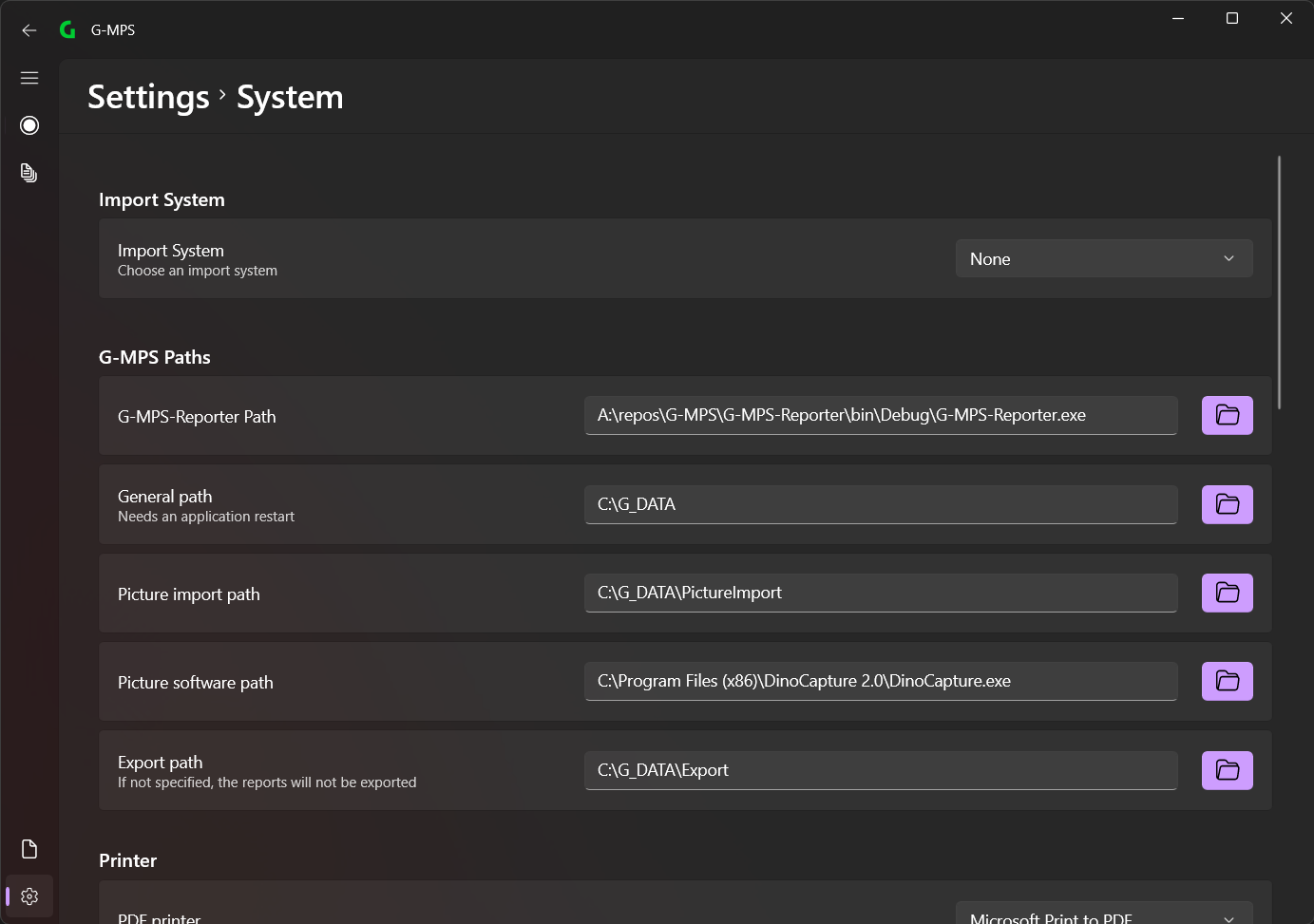
Units

The units of measurement can be set here. These will then be displayed in the appropriate places.
Import System

Here you can select the import system. The following import system is currently available:
You can set whether the XML file is deleted after the report has been created or moved to the _old folder (in the XML import directory: G_DATA\Import).
G-MPS Paths
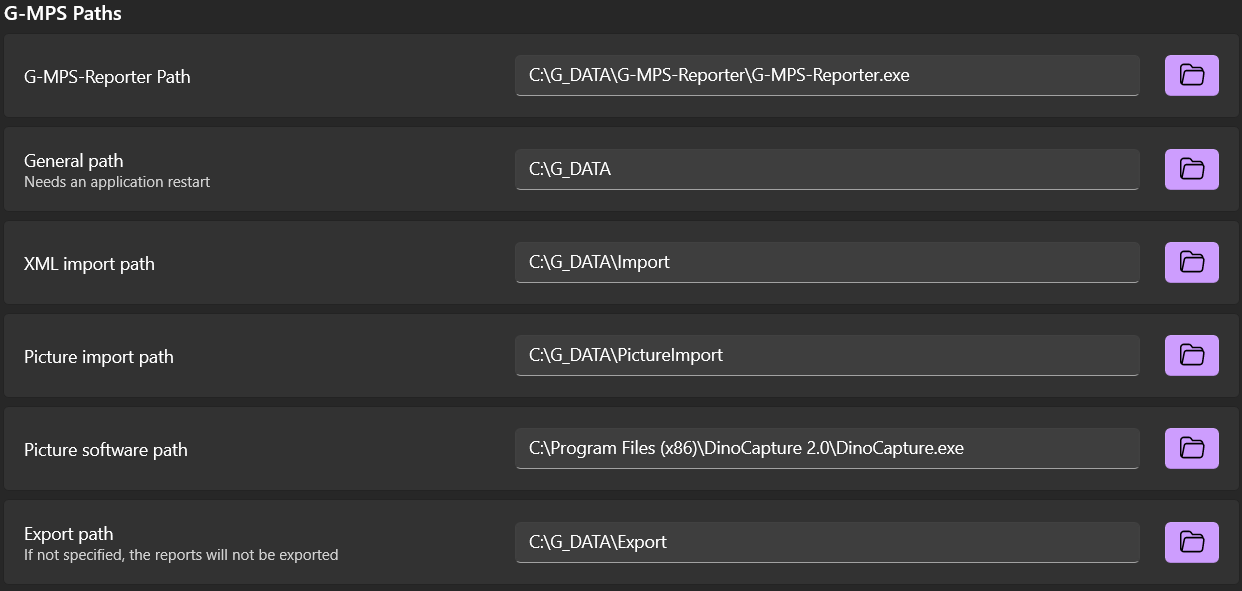
All paths of the application can be defined here:
-
G-MPS-Reporter Path:
- This path must be defined to the .exe file of the G-MPS-Reporter. It is recommended to move the G-MPS-Reporter to the
G_DATA\G-MPS-Reporterfolder.
- This path must be defined to the .exe file of the G-MPS-Reporter. It is recommended to move the G-MPS-Reporter to the
-
General path:
- This is the main folder of the application. This is used to store all the app files. It is recommended not to change this.
-
XML import path:
- The XML import files are read from this path.
-
Picture import path:
- The images used for import into the report are read from this path.
-
Picture software path:
- Here you can define a path to an .exe file that will be executed when you click the corresponding button on the Data Recording Page.
-
Export path:
- This path defines an export folder to export the created reports. This is optional because the reports are saved in the
G_DATA\Reportsfolder.
- This path defines an export folder to export the created reports. This is optional because the reports are saved in the
Printer
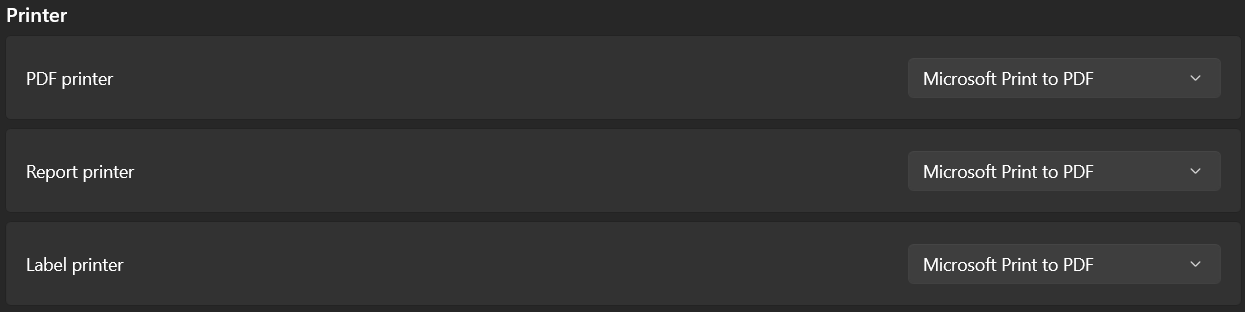
Printers can be defined here.
Reports
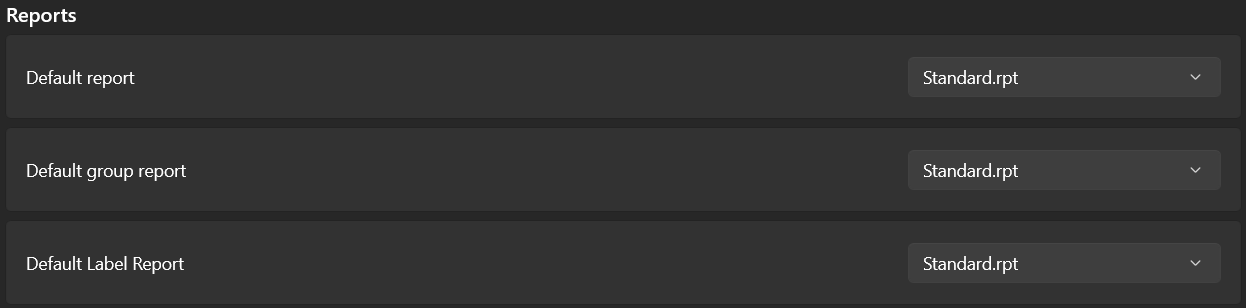
Here you can define the default reports for the respective report types.
The reports must be in the folder G_DATA\RPT.
Date format

Here you can define the date format that is used when creating reports.
QR-Code
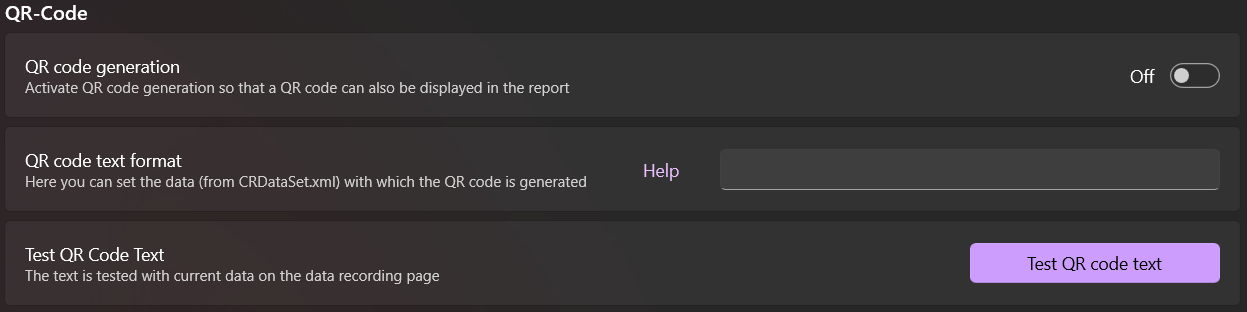
Here you can define the QR code settings. If active, a QR code with the defined content will be created when the report is created. There is more information here.
Export

- If G-RFID for Windows is available, you can enable this option to import data from G-MPS to G-RFID. More information can be found here.
- If G-FrameManager is available, the data from reports in the Protocol Viewer Page can be exported and then imported into the G-FrameManager.
G-Proof

If G-Proof is available, you can enable this option to control G-Proof. More information can be found here.