QR-Code
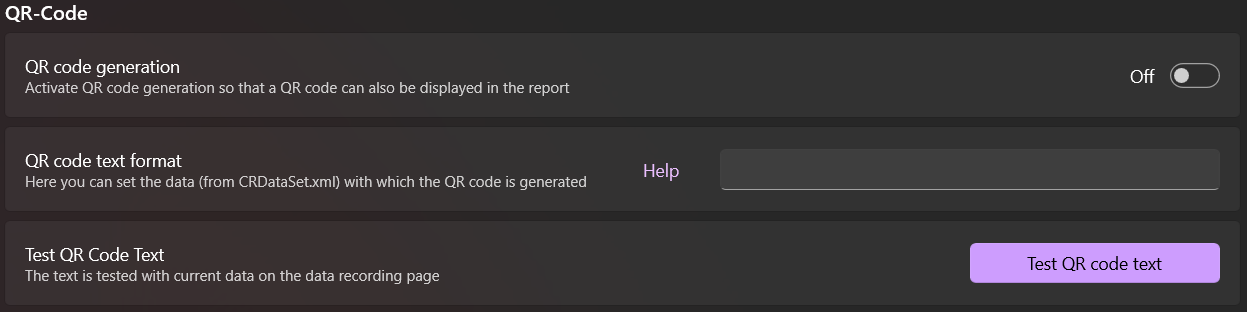
You can also create a QR code when generating the report. This can then also be displayed in the report. To do this, you simply must activate QR code generation in the settings.
Then you must define what should be visible in the QR code. This can also be easily tested directly.
The data that is available for selection is in the file G_DATA\RPT\CRDataSet.xml. To use a field from CRDataSet.xml, it must be in { } brackets.
Example
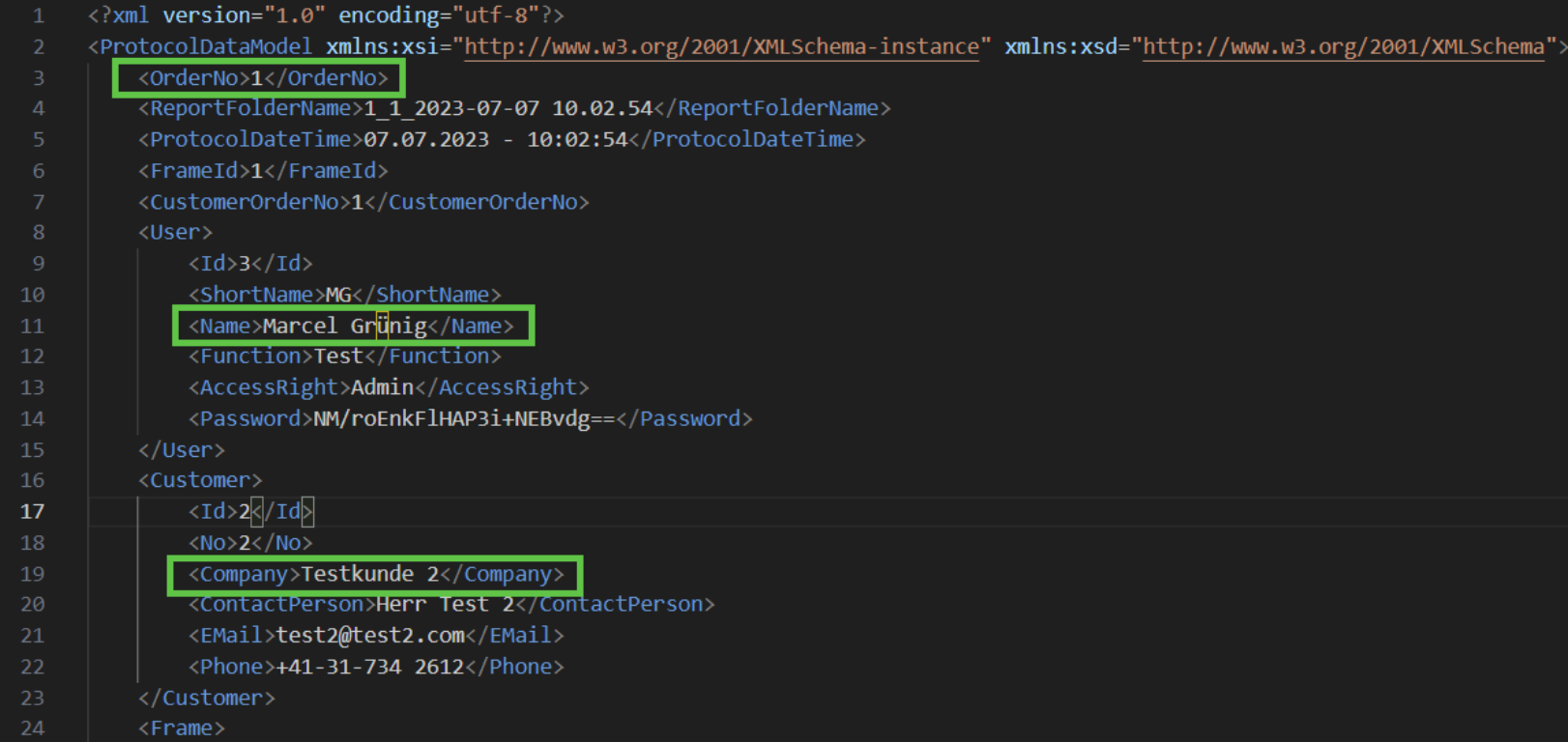
Now, to display the OrderNo, Name of User and the Company of Customer in the QR code, we need to write it like this:
Order: {OrderNo}
Name: {User.Name}
Customer: {Customer.Company}
This then looks like this in the QR code:
Order: 1
Name: Marcel Grünig
Customer: Testkunde 2
The CRDataSet.xml can also be downloaded here: